
A tired living room, reimagined in warm color
AI design concept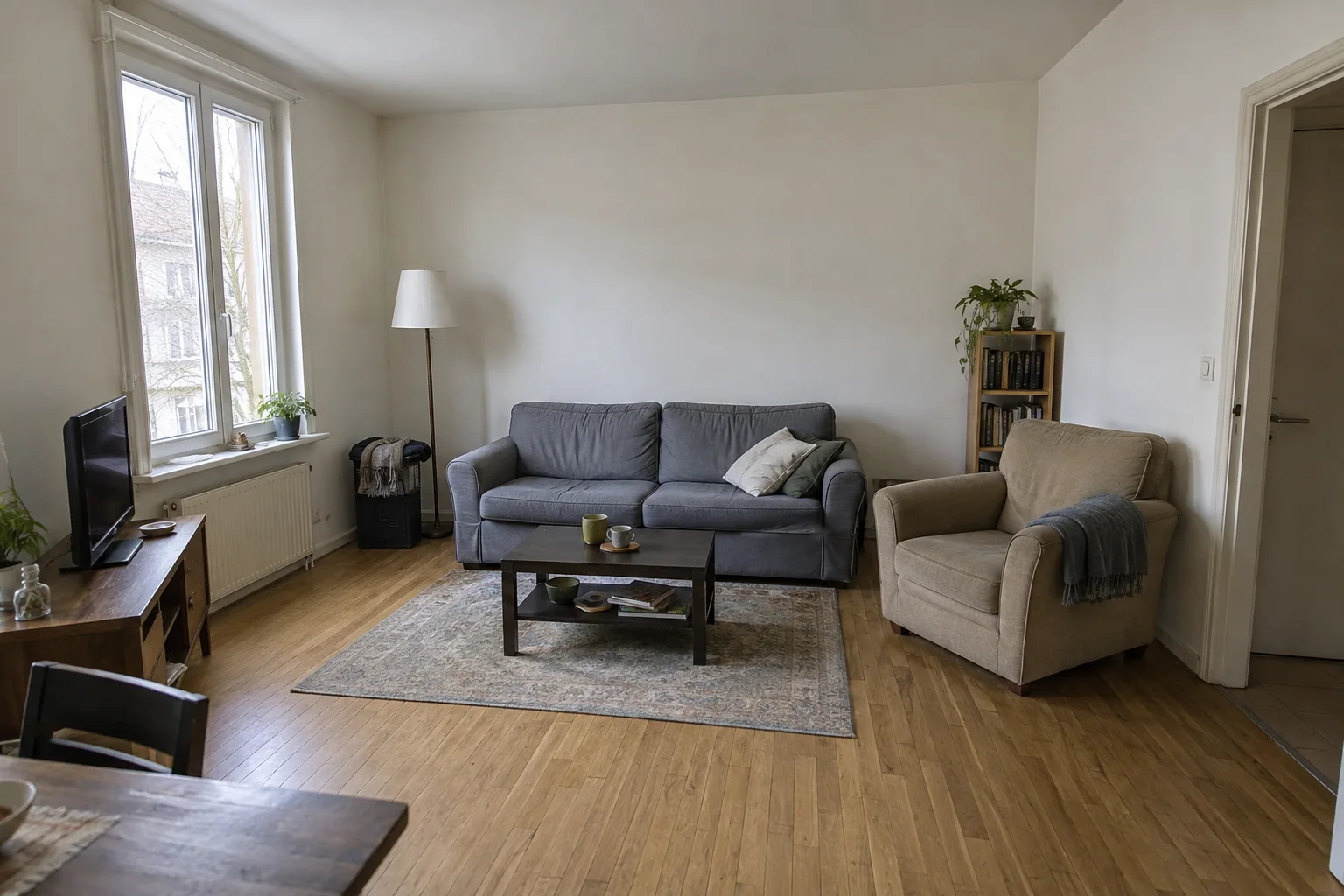
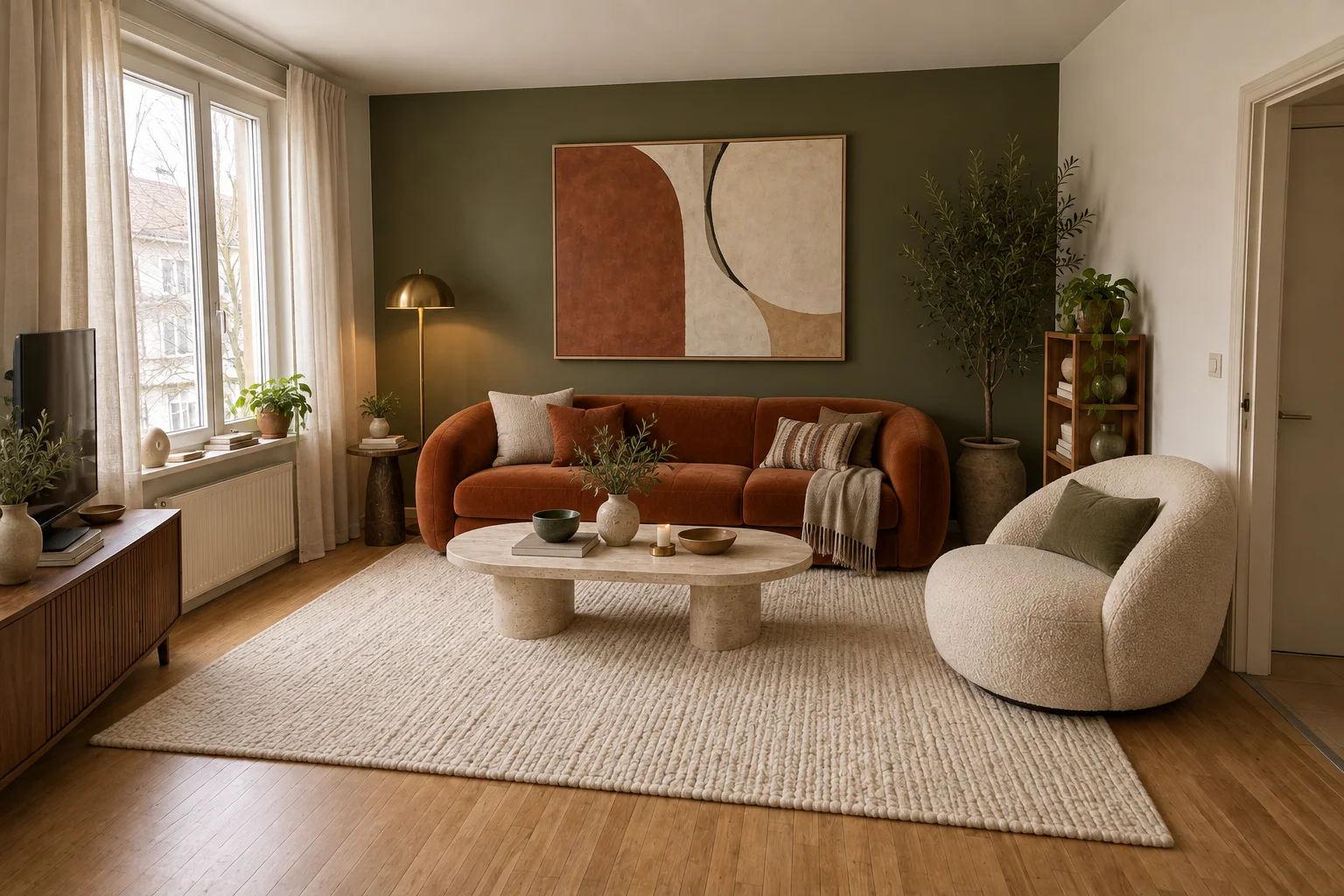
Gray upholstery and a bare wall give way to burnt-orange velvet, olive green and a light stone coffee table.
From a photo of your living room
Try a new look for your sofa, armchair or rug without starting from a blank floor plan. Upload your living room photo, paint what you want to change and compare a new style with the original.
Try your living room photoSelecting a photo and painting are free. One guest generation is available subject to verification and service availability.
Before & after inspiration
Explore changes in color, furniture and texture. Both sides of these comparisons are AI-created design concepts, not customer photos or current-editor results. The editor changes selected areas; these whole-room concepts are inspiration.
Gray upholstery and a bare wall give way to burnt-orange velvet, olive green and a light stone coffee table.
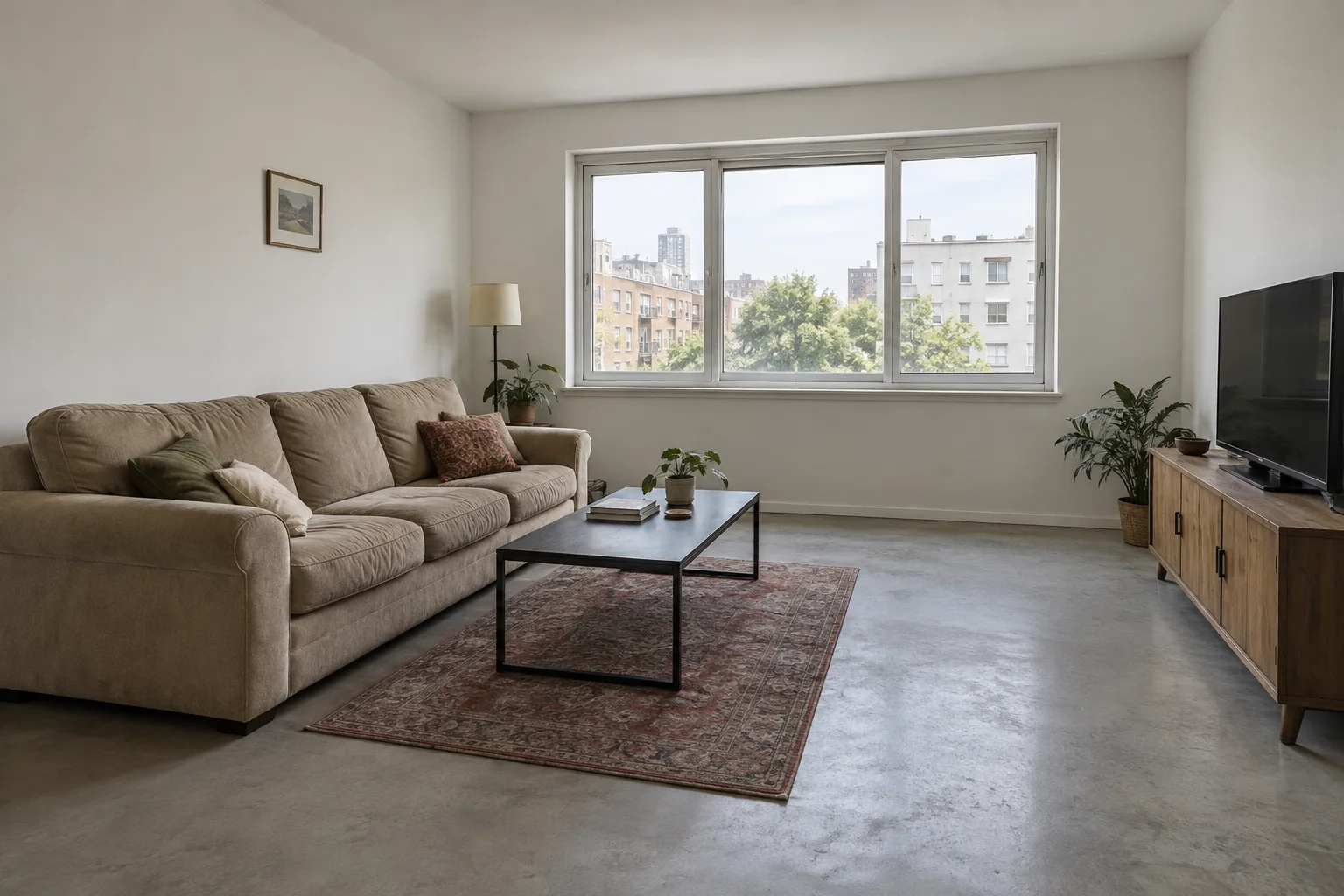
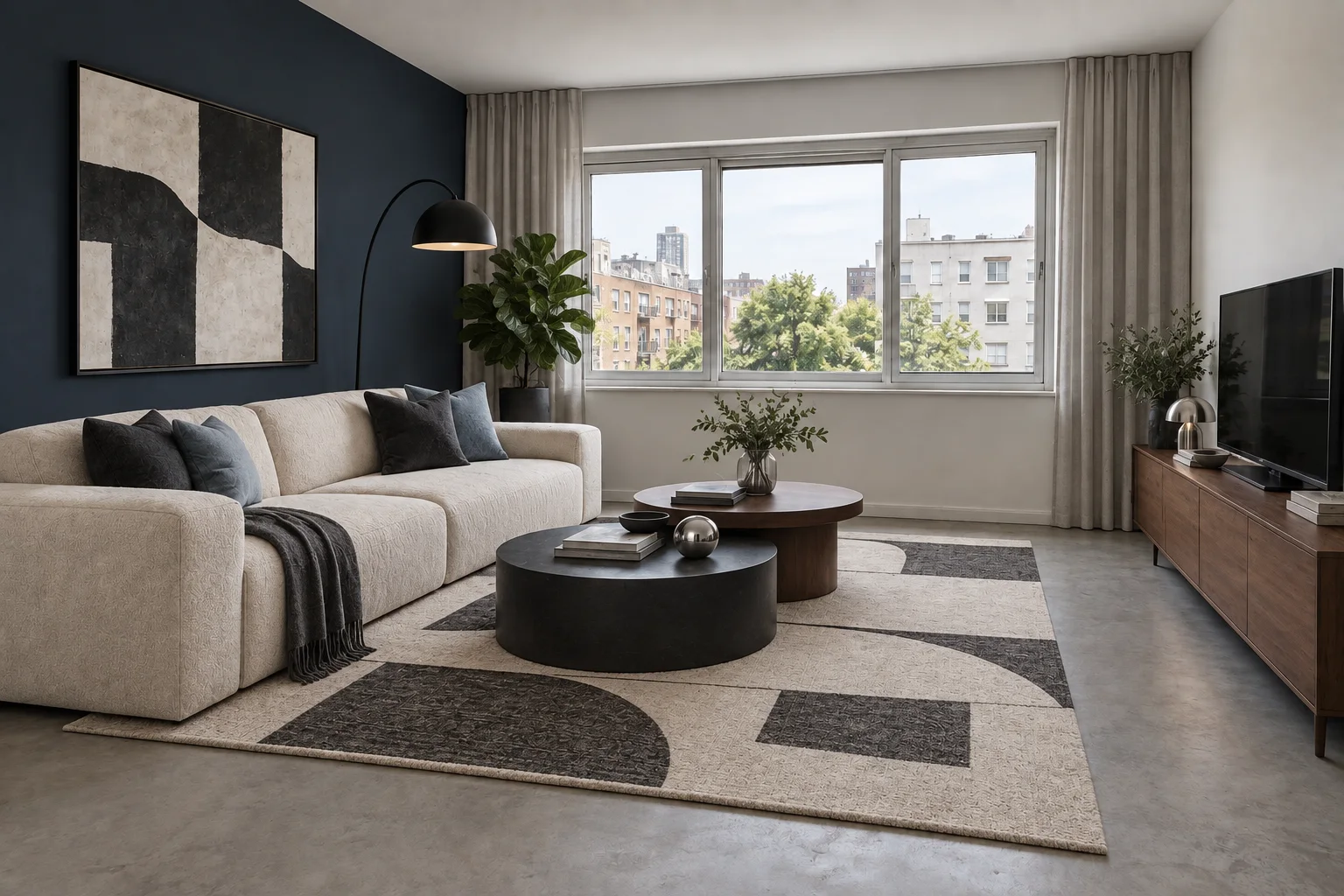
A dated beige sofa and small rug become sculptural ivory seating, an ink-blue accent wall and layered walnut and charcoal.
Selected-area redesign
These are CC0 sample photographs, not customer rooms. The examples use the editing model available in the workbench. Compare the complete photos and inspect the selected area. AI can change details outside the selection; always check the result.
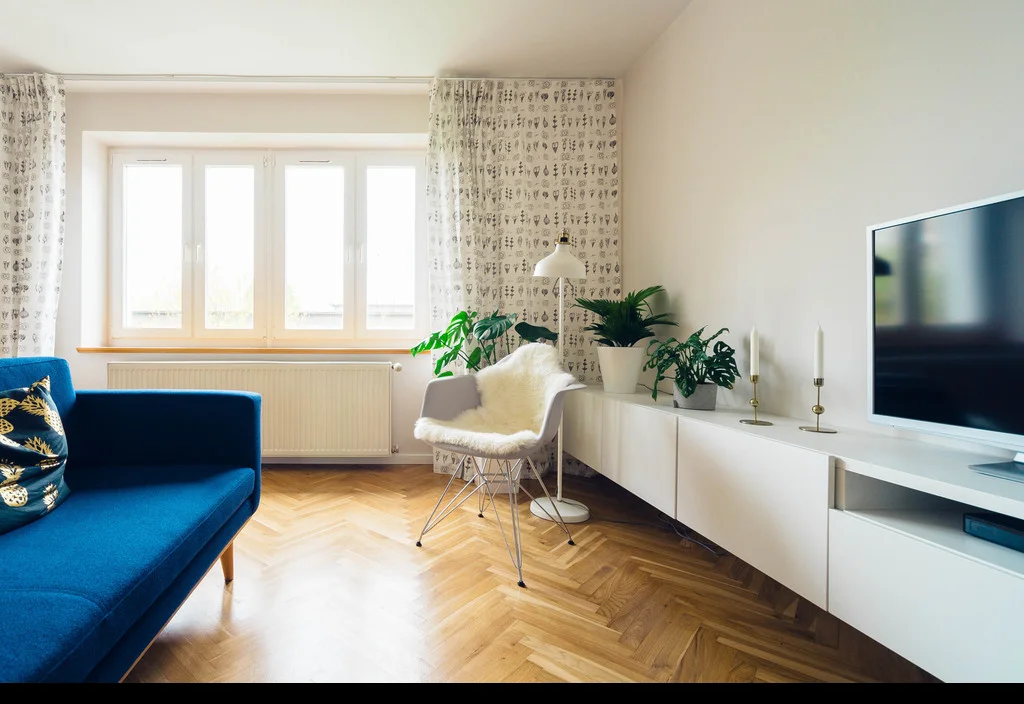
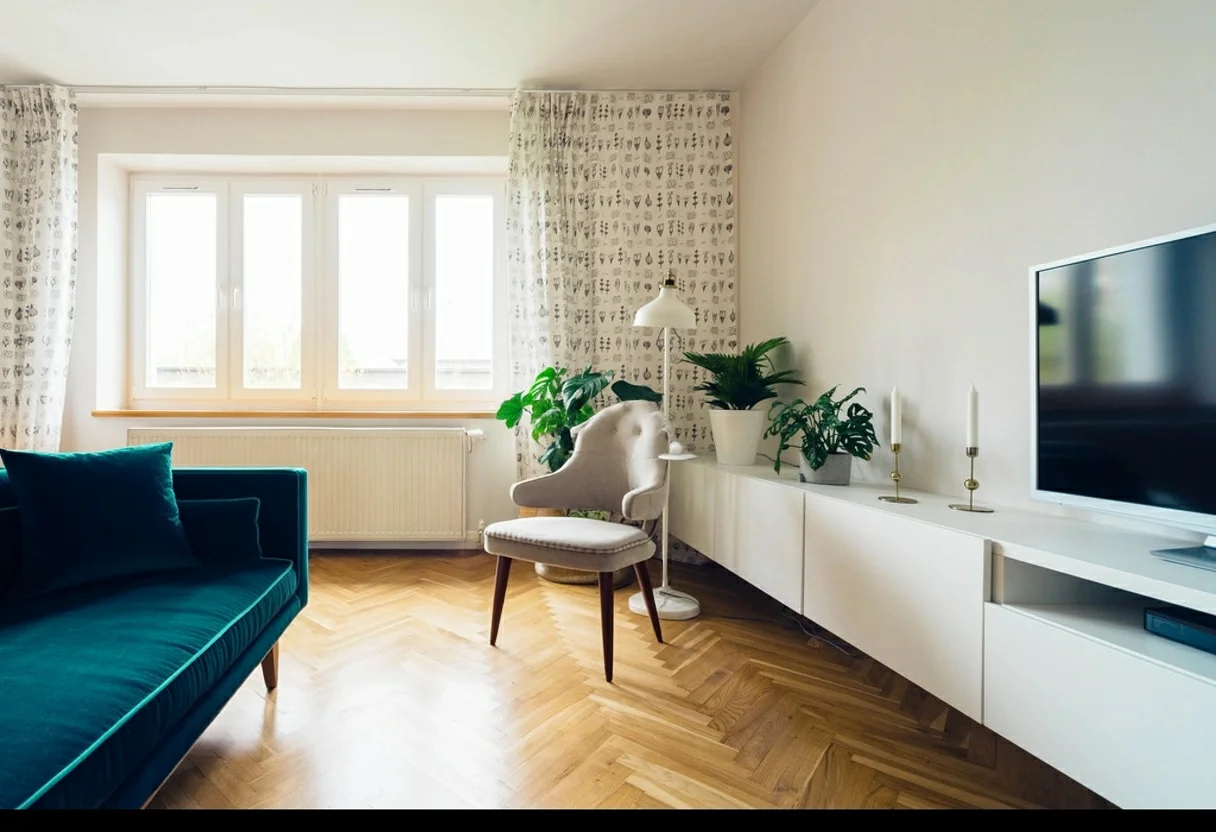
The selected sofa and chair change shape and material. The window and camera view remain recognizable, with small differences around edges.

White marks the requested change. Black is the reference area to preserve.
Jarosław Ceborski · CC0 photograph. Generated September 24, 2026. First output, no retouching. Original and result dimensions may differ. These are project examples, not customer testimonials.
Stand far enough back to show the whole item you want to change, some floor around it and the nearest wall. A sofa cropped at both ends gives the model less information about its shape. Keep the camera level and avoid shooting directly into a bright window. Turn on a lamp if the seating is much darker than the background.
Use JPG or PNG, up to 20 MiB and 4096 pixels on either side. Convert HEIC photos before loading them. Remove private documents or personal details first. Loading the file into the editor does not send it for image processing; that happens when you press Generate.
For a sofa change, include its arms, cushions and visible legs in the selection. Leave the window frame, wall edges and furniture you want to keep unpainted. If a coffee table overlaps the sofa, decide which object you want changed and take extra care along their shared edge. Start with one item rather than a sofa, table and rug together.
The white area in the recorded editor example’s selection shows the requested change. It is not an automatic object detector or a promise that every black pixel will stay identical. Use Erase to correct overlaps and Undo to remove a stroke. You can keep the same photo and selection while choosing another style.
These presets guide the look of a selected area. They do not source real products or guarantee matching furniture dimensions. The recorded editor example in the expandable section uses Art Deco; it is not evidence that every preset will work equally well on your photo.
Try simpler silhouettes and quieter materials around your seating. Compare whether the new sofa still looks comfortable and fits the apparent scale of the room.
Explore lighter woods, soft textiles and lower contrast. Inspect pale furniture against bright windows, where small edges can become hard to distinguish.
Explore richer color, geometric details and stronger accents. Check chair legs and decorative joins instead of judging the result only by its overall color.
Compare the entire before-and-after photo, then look at furniture edges, shadows, doorways and window shapes. The model aims to retain the surrounding room, but unselected details and proportions may change. If the result drifts too far, refine the selection before spending another generation. This workflow does not rearrange a measured layout or produce construction plans.
Download a result you want to keep within 24 hours. Each generation uses one credit; switching styles does not itself generate another image. More generations are available as one-time credit packs, with no automatic renewal. Review the payment and refund terms before purchasing.