
An everyday bedroom, softened for slow mornings
AI design concept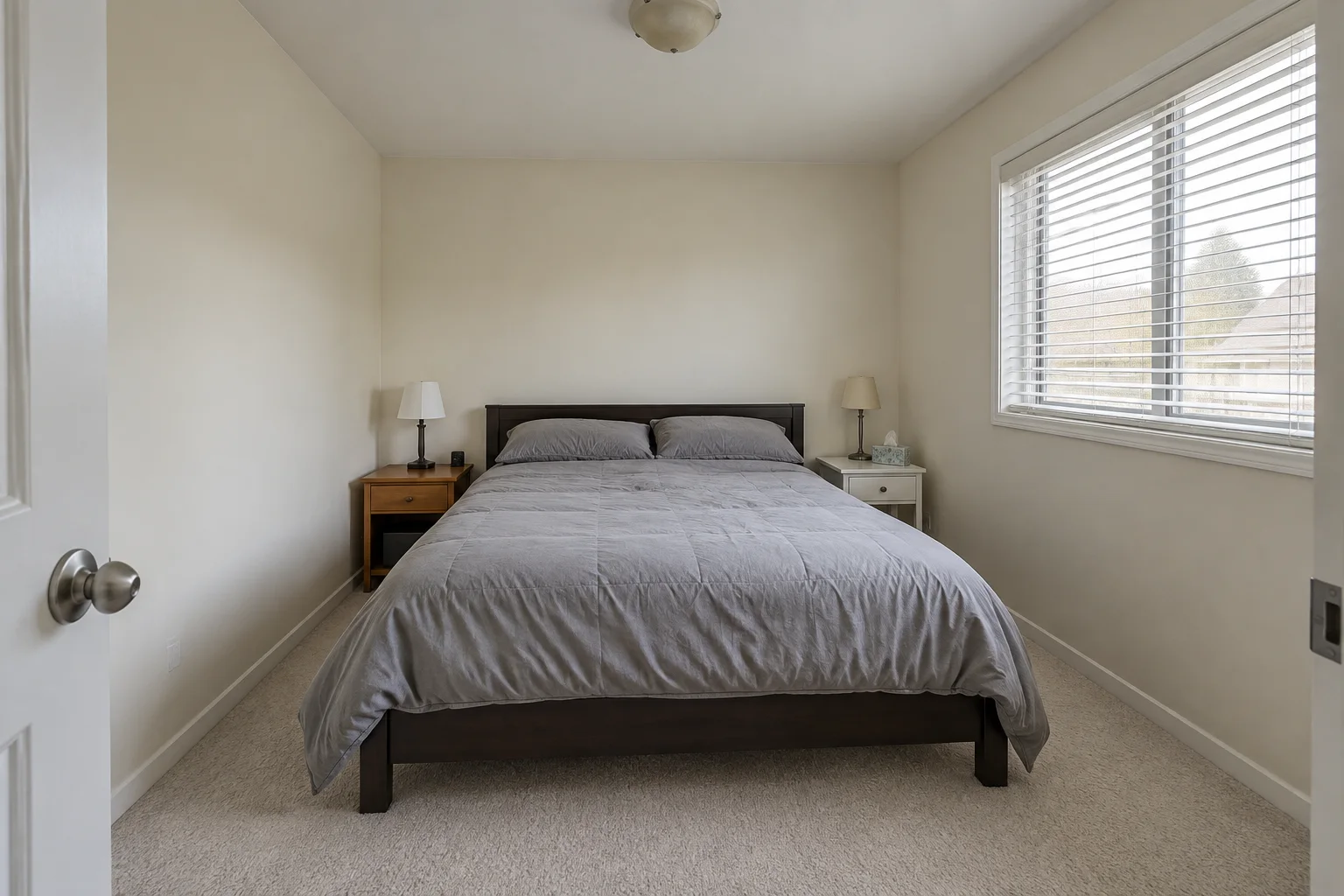
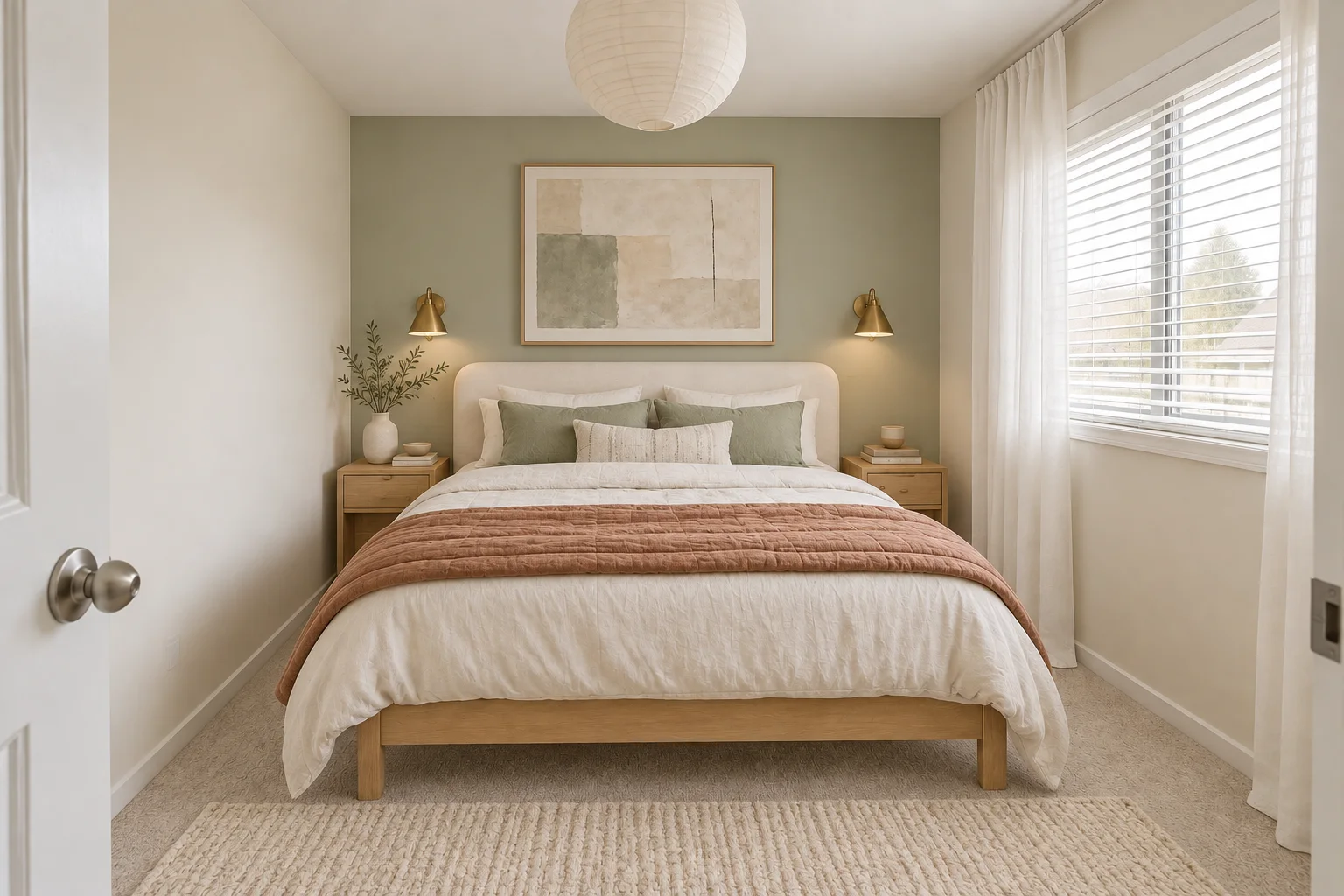
Dark furniture and flat gray bedding become pale oak, layered linen and a calm sage backdrop.
Bedroom design from a photo
Start with a bedroom photo, mark the furniture or soft furnishings you want to explore, and compare a Modern, Scandinavian or Art Deco direction in the workbench.
Open the bedroom workbenchMark what should change, compare the result with the original, and decide whether the direction is worth exploring. No promise of perfect geometry or a 100% unchanged layout.
Bedroom inspiration
Explore an AI-created concept with pale oak, layered linen and a sage backdrop. It is design inspiration, not an output from the current editor. Expand the recorded example below to inspect an actual edit and its selection.
What to mark
Paint over the bed, nightstand or decor you want to replace. Leave the window, walls and other fixed boundaries out of the mask whenever you want them to stay as reference.
Before & after inspiration
Explore changes in color, furniture and texture. Both sides of these comparisons are AI-created design concepts, not customer photos or current-editor results. The editor changes selected areas; these whole-room concepts are inspiration.
Dark furniture and flat gray bedding become pale oak, layered linen and a calm sage backdrop.
Selected-area redesign
These are CC0 sample photographs, not customer rooms. The examples use the editing model available in the workbench. Compare the complete photos and inspect the selected area. AI can change details outside the selection; always check the result.
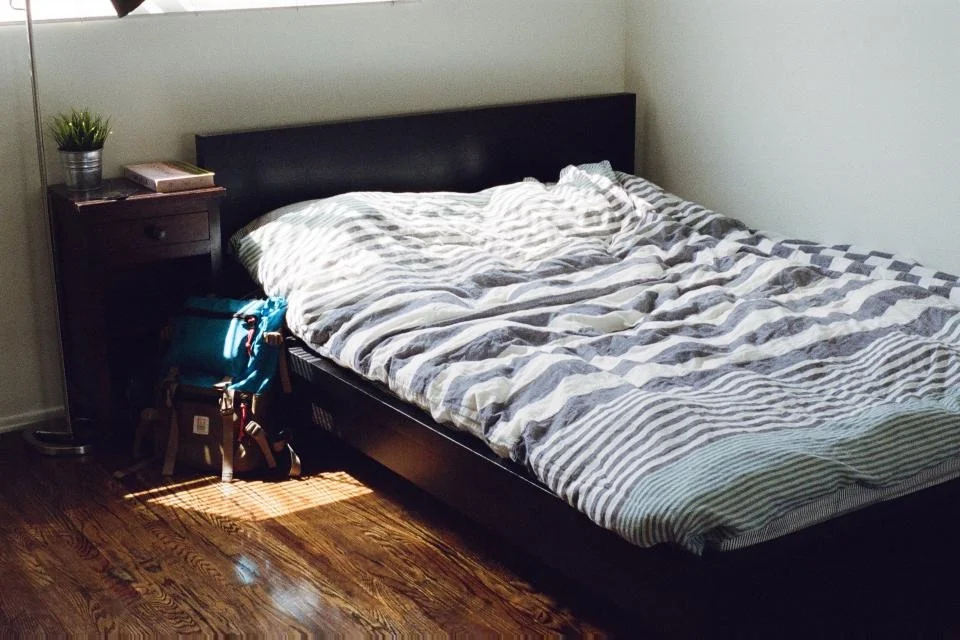
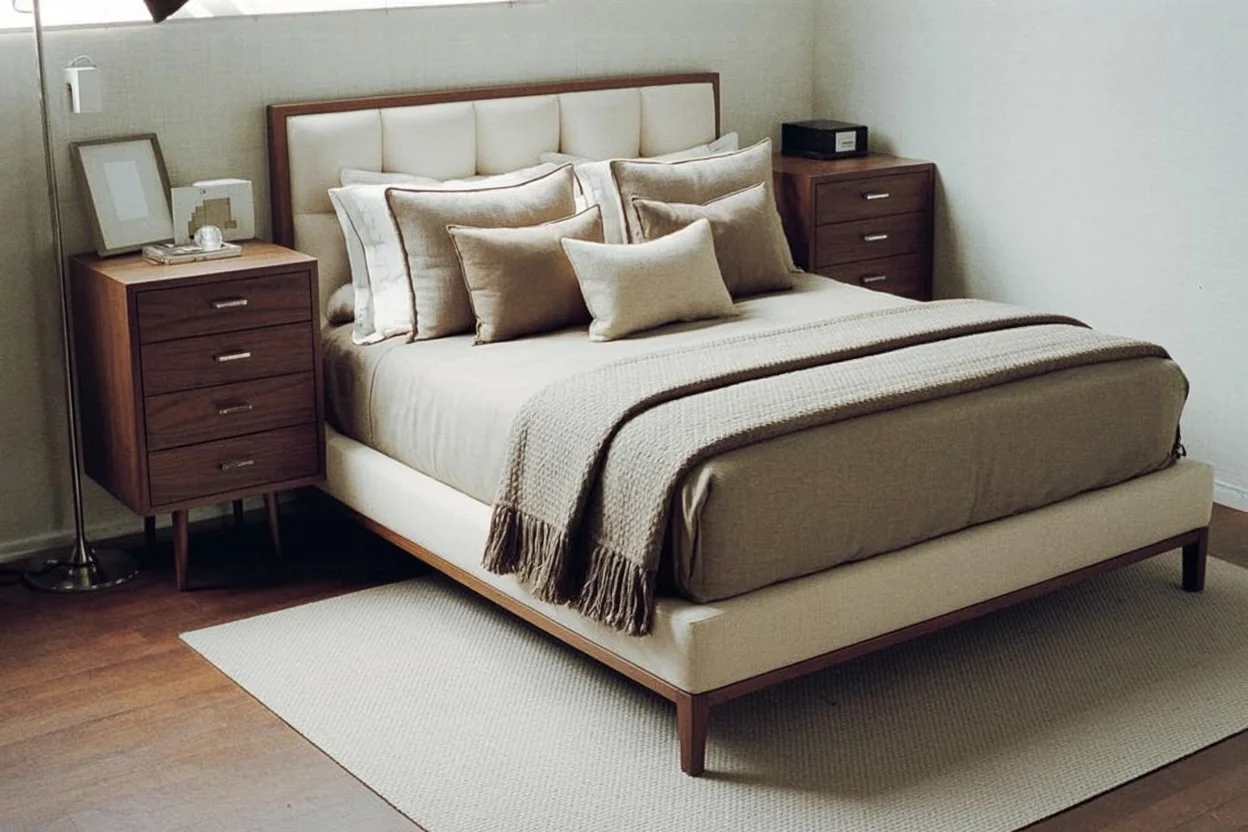
This example uses a broad selection covering most of the image. The bed becomes smaller and more of its foot is visible. It demonstrates a style direction, not exact furniture dimensions.

White marks the requested change. Black is the reference area to preserve.
Jay Mantri · CC0 photograph. Generated September 24, 2026. First output, no retouching. Original and result dimensions may differ. These are project examples, not customer testimonials.
Three current presets
A preset describes the visual direction only. It does not identify purchasable products or guarantee the exact position, size or material of an item.
Calm geometry, clean surfaces and a restrained palette.
Light, practical forms with warm wood and soft texture.
Graphic contrast, richer tones and decorative geometry.
Bedroom input notes
Photograph from a steady corner with the bed and major boundaries visible.
Use enough light to separate furniture edges from walls and bedding.
Mark the item you want changed, and leave fixed architecture outside the mask.
Treat the output as a visual preview, not a measurement or buying instruction.
The sample opens with bedroom selected and lets you paint locally before a real generation. When you switch to your own photo, check the mask around windows, doors and wall edges before submitting.
Open the bedroom workbench